 Back to all articles



Forgot Your Combination on Your TSA Lock?
TSA-accepted locks are designed with travel security in mind. If you’ve forgotten your combination and are locked out of your TSA lock, there’s no need to break the lock or toss your luggage. You can still recover access using the method below.
This guide walks you through exactly how to reset or open your TSA lock when the code is forgotten.
Understanding Your Lock
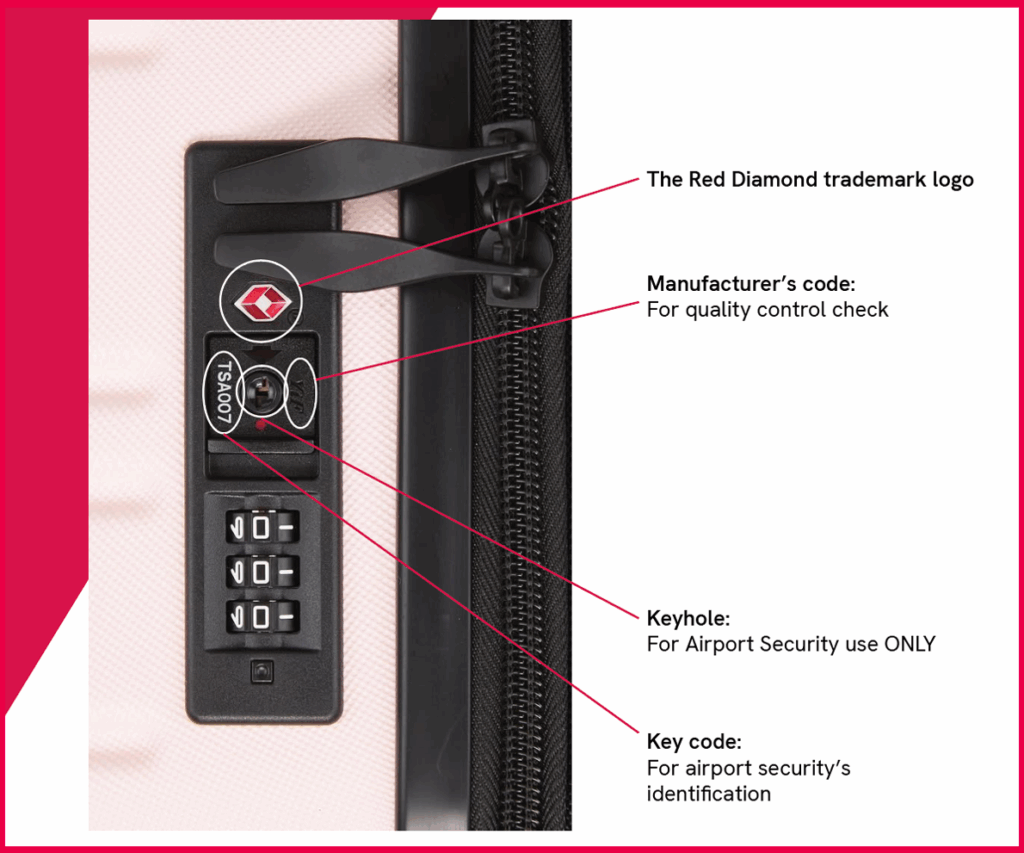
- TSA combination locks do not come with keys. The small keyhole is for security agents only.
- Most TSA locks use a 3-digit combination ranging from 000 to 999.
- That means you have only 1,000 possibilities.
- Look for the red diamond symbol; it means your lock is TSA-accepted and can be opened with a secure tool at airport security.
The Trial Method (000–999)
What You Need:
- Patience
- 15–30 minutes
Steps:
- Set the dials to 000 and try opening.
- Increase the code one digit at a time (e.g. 001, then 002, and so on).
- Gently pull the shackle as you rotate the dials to feel for resistance.
- Continue through to 999 or until the lock opens.
If the first digit is between 0–3, many users succeed within the first 20 minutes.
Video Guide:
Step-by-Step TSA Lock Reset Instructions
1. Set the lock to the current code
Make sure the lock is open and aligned with your existing combination.
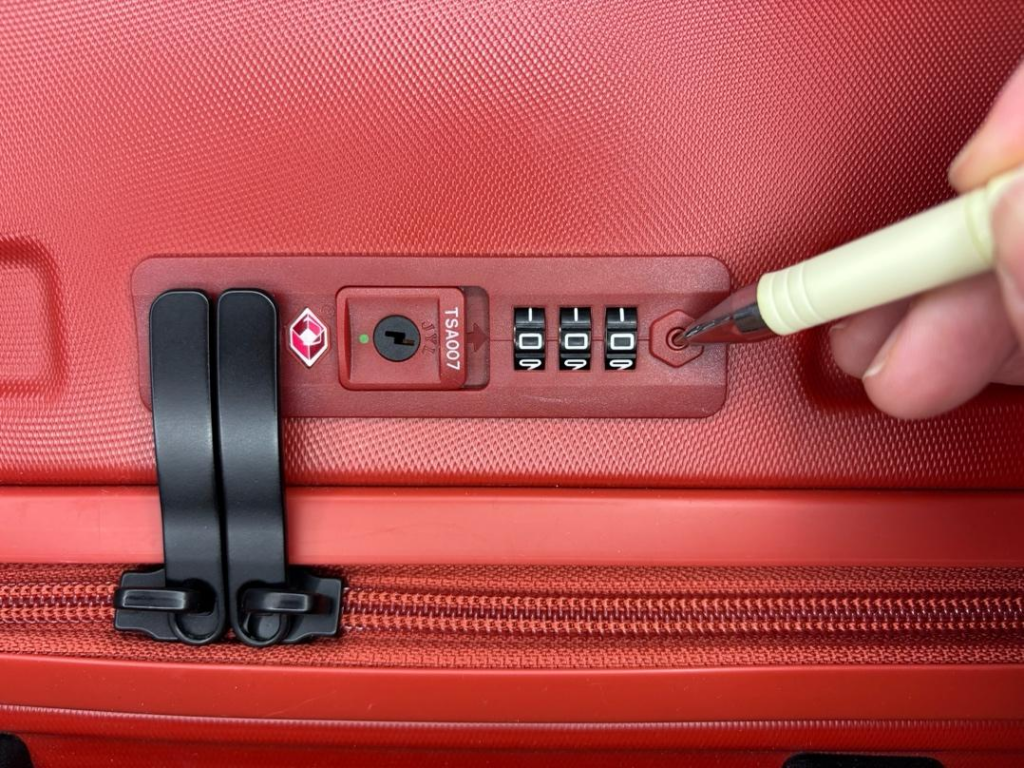
2. Find the reset button
Most locks have a:
- Small reset button,
- Pinhole (use a pen), or
- Sliding reset switch
This is the key part of the luggage lock reset process.
3. Press and hold the reset button
Press and hold the reset button with a tool, such as a ballpoint pen. You may hear a ‘click’ sound. You might find the reset button on the side of your lock.
4. Choose a new code
Turn the dials to your preferred numbers.
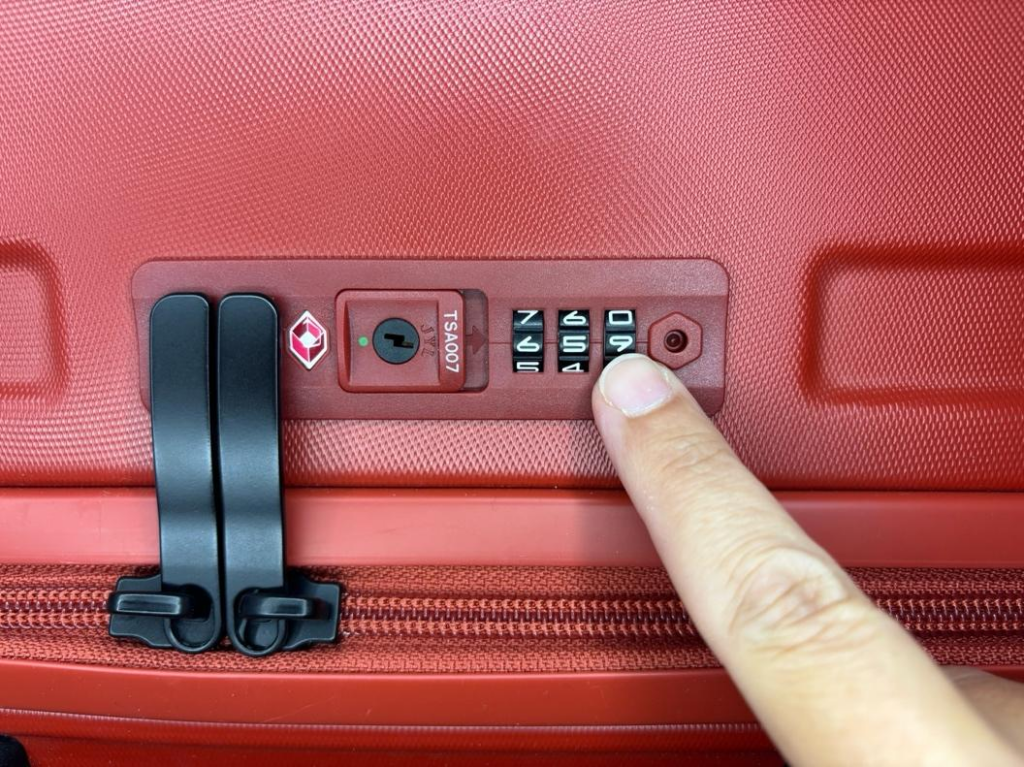
5. Slide the lever across – your combination is now set.
This saves your new code. The zippers will pop out as this code will open the lock.
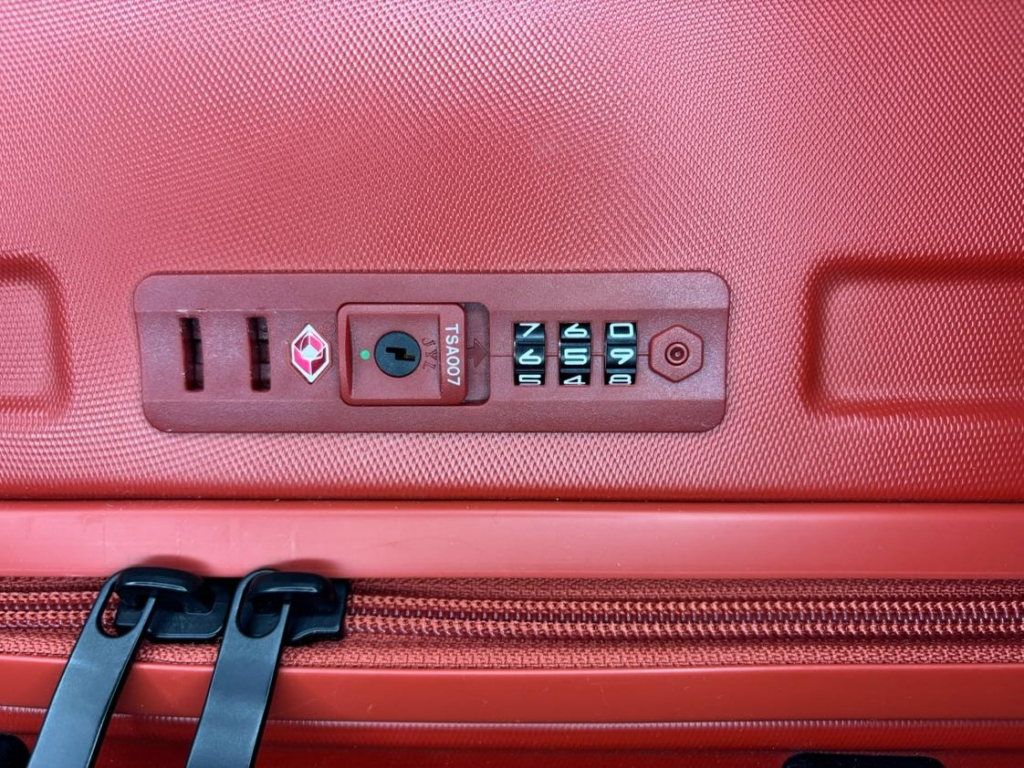
6. Test your lock
Once packed and ready to go, put the zipper pulls back into their slots. Scramble the code to lock the luggage.
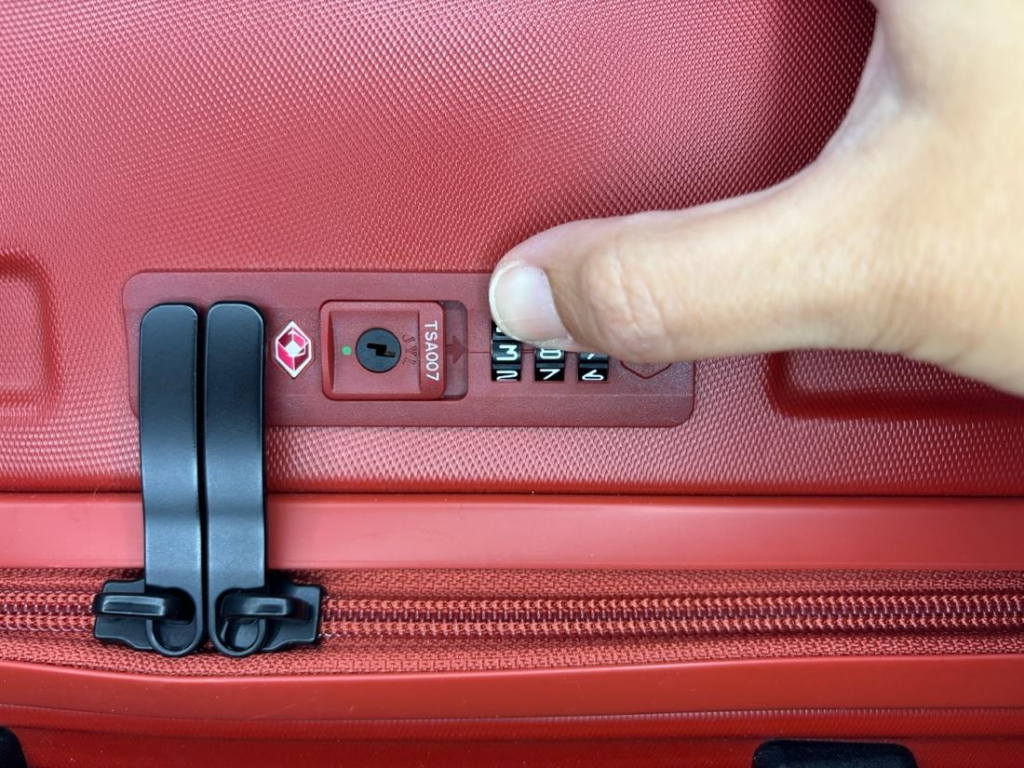
See full instructions here: Setting code for TSA-accepted luggage.
How to Change Your TSA Lock Code Safely
When choosing a new code, keep these tips in mind:
- Avoid obvious combinations like 000 or 123
- Choose something memorable but secure
- Store it safely (notes app or password manager)
- Test it before every trip
Following these steps ensures your TSA lock reset is successful and avoids future issues.
What If Your TSA Lock Is Stuck?
If your TSA lock is stuck and you forgot the code, don’t force it. This can damage the lock or your luggage.
Instead:
- Work through combinations methodically
- Use gentle dial movements
- Seek help if needed
Patience is key when trying to open a TSA lock without the combination.
Find the combination first → then press reset → set your new code.
Lock Not Opening?
Try the following:
- Is your lock jammed or misaligned? Reset the dials to 000 and gently rotate each one to ensure smooth movement.
- Press and hold the release button or shackle while adjusting the numbers.
- If the lock won’t budge after 999 tries, consider taking it to a luggage retailer or locksmith.
What That Keyhole Is For
- That’s not a keyhole for you.
- It’s a TSA secure tool access port, which allows airport agents to inspect your luggage and relock it without damage.
Keep This in Mind
- Store your combination somewhere safe (e.g. your phone, email).
- Always test your new combination before using it during travel.
- Don’t forget your combination – make it memorable or record it somewhere secure.
Still Need Help? Visit travelsentry.org/contact to speak with our support team.
Related Articles
April 2026
How to Reset a TSA Lock
This is one of the most common questions travelers ask: How do I reset my TSA combination lock?
Read More
March 2026
What Do TSA Scanners See? How Airport Security Scanners Work
Find out what TSA scanners really see and how airport security technology works. Learn how your...
Read More
January 2026
Airline Carry-On Rules Explained: Liquids, Restrictions & What to Expect
A practical guide to help travellers avoid delays by checking bag size before they fly.
Read More


